Storing and securing iPads

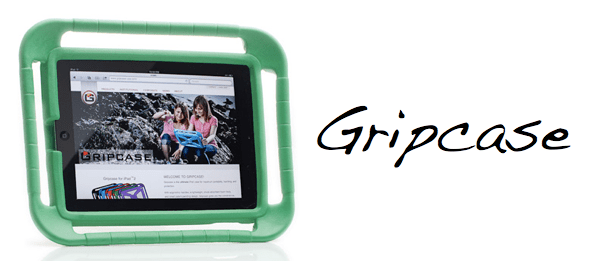
Now I understand that securing and charging multiple iPads is not necessarily easy or cheap, but part of me is very loathe to spend £1,000 on a fancy charge/sync/secure flight case for £4,000 of iPads.  Maybe I should see it comparable to spending £200 on a desk for an £800 iMac.  Or maybe I should think outside of the box.  Or inside another box.  Or something.

Anyhoo, maybe IKEA might offer a better solution.  I’m looking for a way to store and charge 6 iPads for a class set.

  • £45 for an IKEA PS lockable cabinet, complete with hole in the base to feed through a power cable
  • 6-way power adaptor to plug in 6 iPads to charge

Marvellous!

Toca Boca and digital toys

Over the Easter weekend I got to see my lovely niece and nephews, and as part of that was introduced to some cool iPad apps for kids.  Some of these are made by the company Toca Boca, who makes ‘digital toys’ for children rather than just games.

One of their apps is Toca Hair Salon, which lets you cut and trim hair with scissors and electric trimmers, blow-dry, wash and shampoo and even hair dye or add hair restorer.  It’s completely hilarious to use, particularly when it comes to using the hair drier, and is a bit like a digital version of a hairdressing mannequin head you might find in an early years role-play area.  Or there is the Toca Tea Party which lets you lay out a complete tea party and then consume it, including drinking the tea (or knocking it over…all virtually of course!).

I think what I like about the apps is that they let you the child explore them in a non-linear and play-based manner, rather than prescribing the route through a game.  A LEGO kit might have instructions for how to build it, but the way it ends up being played with is as open as a child’s imagination.  Go have a try!

Windows 8

Much like what they did with Windows 7, Microsoft are offering a Consumer Preview of the latest incarnation of their desktop operating system, Windows 8. Although it’s now designed to work on tablets/slates/mobile PC devices too. And thanks to Virtual Box, I get to play too, despite using a Mac.

It’s certainly a bold attempt at moving things forward, especially with the iPad single-handedly disrupting the entire PC market, but I don’t think it’s going to work too well. The problem is that it’s trying to offer a ‘no compromise’ fusion of the desktop and tablet experience, trying to please the pixel-perfect mouse and keyboard crowd whilst also reaching out to the touch-screen newbies. But you can’t have your cake and eat it: the reason iOS works is because it has been stripped back and reimagined for finger input, not because it tries to shoehorn in the Mac OS graphical user interface. Windows 8 tries to do both and it’s just a bit of a mess. I haven’t tried a touch-screen device but using a mouse and keyboard is decidedly unsatisfactory and sometimes completely confusing (such as trying to work out how to get back to the Start screen. Using touch it’s a swipe in from the right but using a mouse it involves hovering the mouse near the bottom right corner of the screen – not very intuitive!).

Once you’ve gotten the hang of actually using it, it seems very much like just the skeleton of a finished product, perhaps like the original iPhone when it was first released. Only this is 2012 not 2007, perhaps proving Steve Jobs correct that Apple had a 5-year head start with the iPhone. No doubt Microsoft will be able to sell lots of licences with new PCs, but perhaps it’ll get downgraded to Windows 7, much like what happened with Windows Vista.

(Image from thefoxisblack)

“The New iPad”

It’s always fun watching the latest Apple Special Events, even though it’s sad that there’s no Steve Jobs any more.  I think I really like Tim Cook, perhaps particularly his calm and slow manner but also cheeky sense of humour.

So, iPad 3.

Or should I say, “The new iPad”.  Not sure that would have gotten past Mr Jobs, especially as devices always used to be referred to as if they were a person in the room, i.e. iPad, iPhone rather than the iPad or the iPhone.  But I guess they’re doing things a bit differently now.

Thoughts:

  • Retina display looks amazing.  People might complain that it’s just a screen, but the iPad is just screen, so it’s a pretty important part of the equation.  It’s pretty funny how it’s got more pixels than a HD TV as well…
  • Throwaway remark from one of the developers that the new iPad has more processing power/memory etc. than the PS3 or XBOX360. Not bad…
  • The iPad is starting to be able to do thing much better than a normal ‘PC’ would, i.e. using a finger to paint on touch-up effects in iPhoto.
  • The iSight camera is nice.  But why iSight?  Not sure why they dug that name out again, having replaced front-facing cameras with the ‘FaceTime camera’ moniker.

The thing I’m most excited about though is the reduced iPad2 price, especially with an educational discount (and no VAT) added on – the iPad starts to become very, very affordable in schools.  Looking forward to finding out the ICT budget in April…

iPad 3…

iPad 3 on Wednesday…exciting!

The expectation seems to be for a retina display and the loss of the home button. Excited about the first, less hopeful about the second!

What I’m particularly hopeful about is the possibility of them still selling the iPad 2 but at a reduced rate – now that would really help with my budget at school! But they probably would cripple it with 8GB of storage…that might just be a bit too limiting. But we shall see.

iTunes U

Very interesting post by Fraser Spiers about iTunes U. Take a look!

This could be very interesting and useful if/when we deploy some iPads in September! It seems to be able to take the concept of using the iPad for learning, rather than just learning to use an iPad. It also makes the case very strongly in my mind for having one apple ID per device; the whole iCloud ecosystem opens up for you in very useful ways.